
United StatesData privacy

Use it with Google Meet
Upmeet can be used to record, transcribe and generate your Google Meet meetings without the need to add any application to your Google Meet workspace. Just follow the steps below.
No card required • Start in 2 minutes
Works with all video conferencing platforms


How it works?
- Record, transcribe and summarize your Google Meet meetings with no extra app needed
- Automatically syncs with your Google or Outlook calendar
- Start a meeting manually and invite Upmeet to join
01
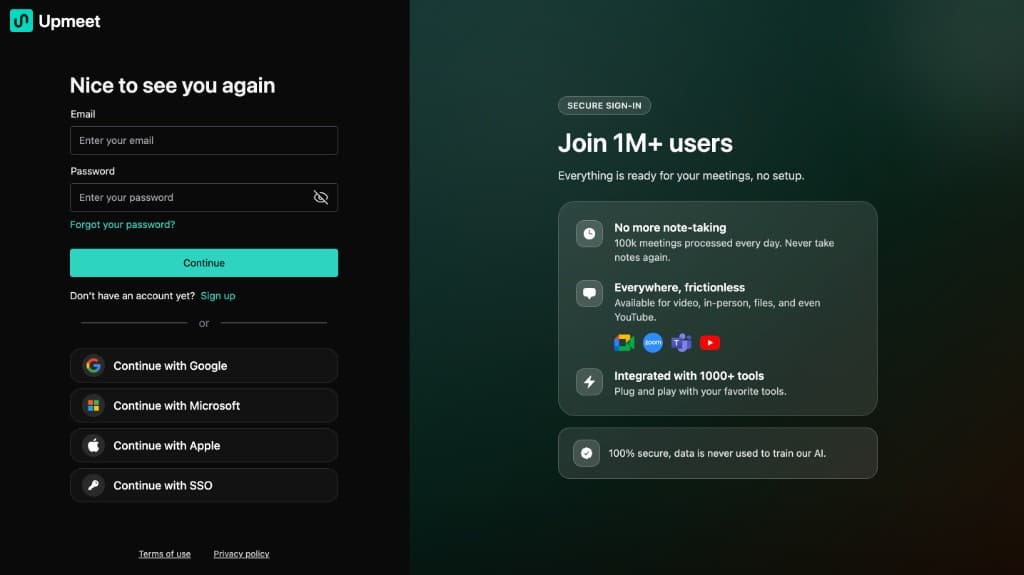
Log in to Upmeet
If you do not already have an Upmeet account, please sign up here: https://app.upmeet.ai
02
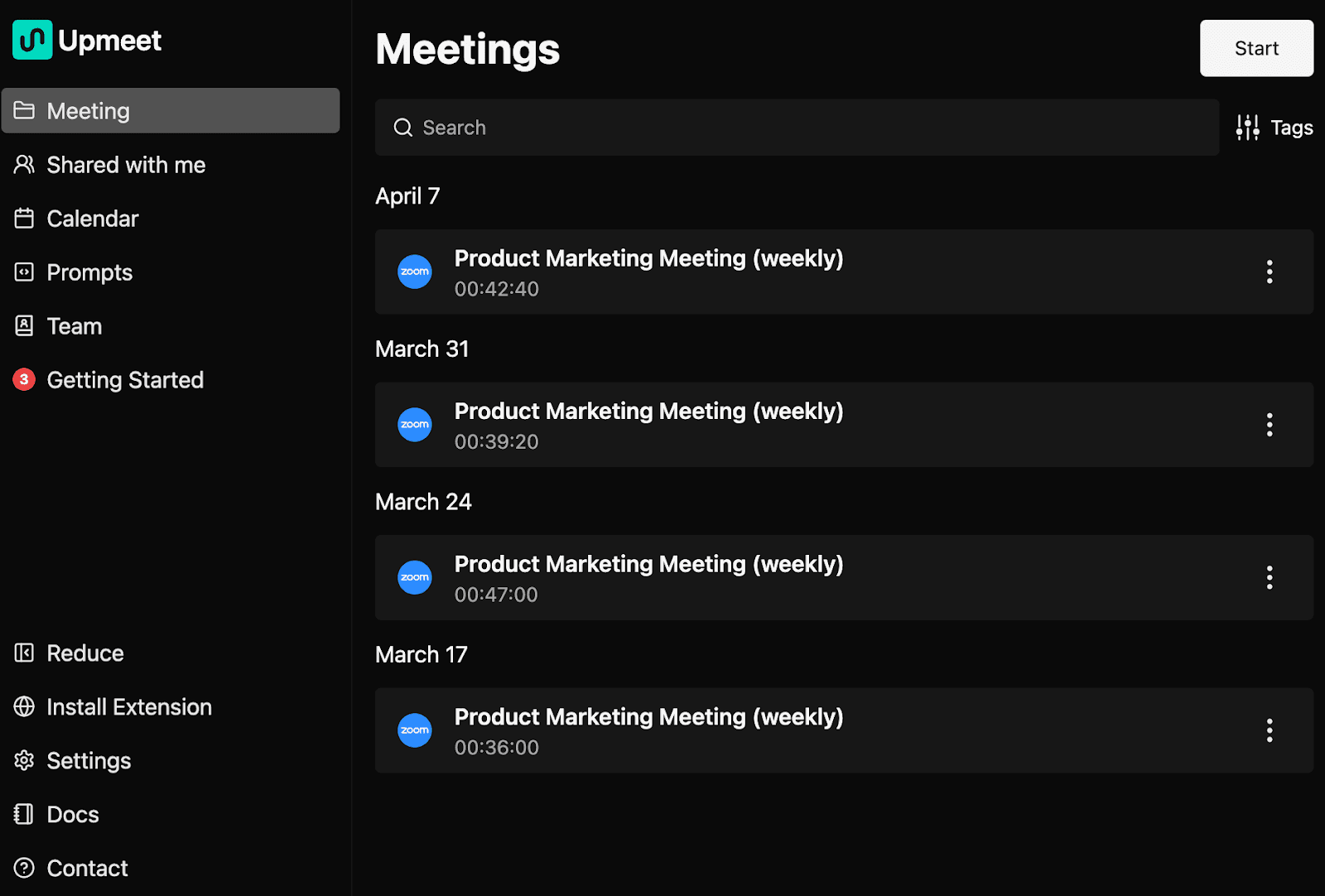
Start a meeting
In order to invite Upmeet to join your Google Meet meeting, click on the Start button on the top right corner
03
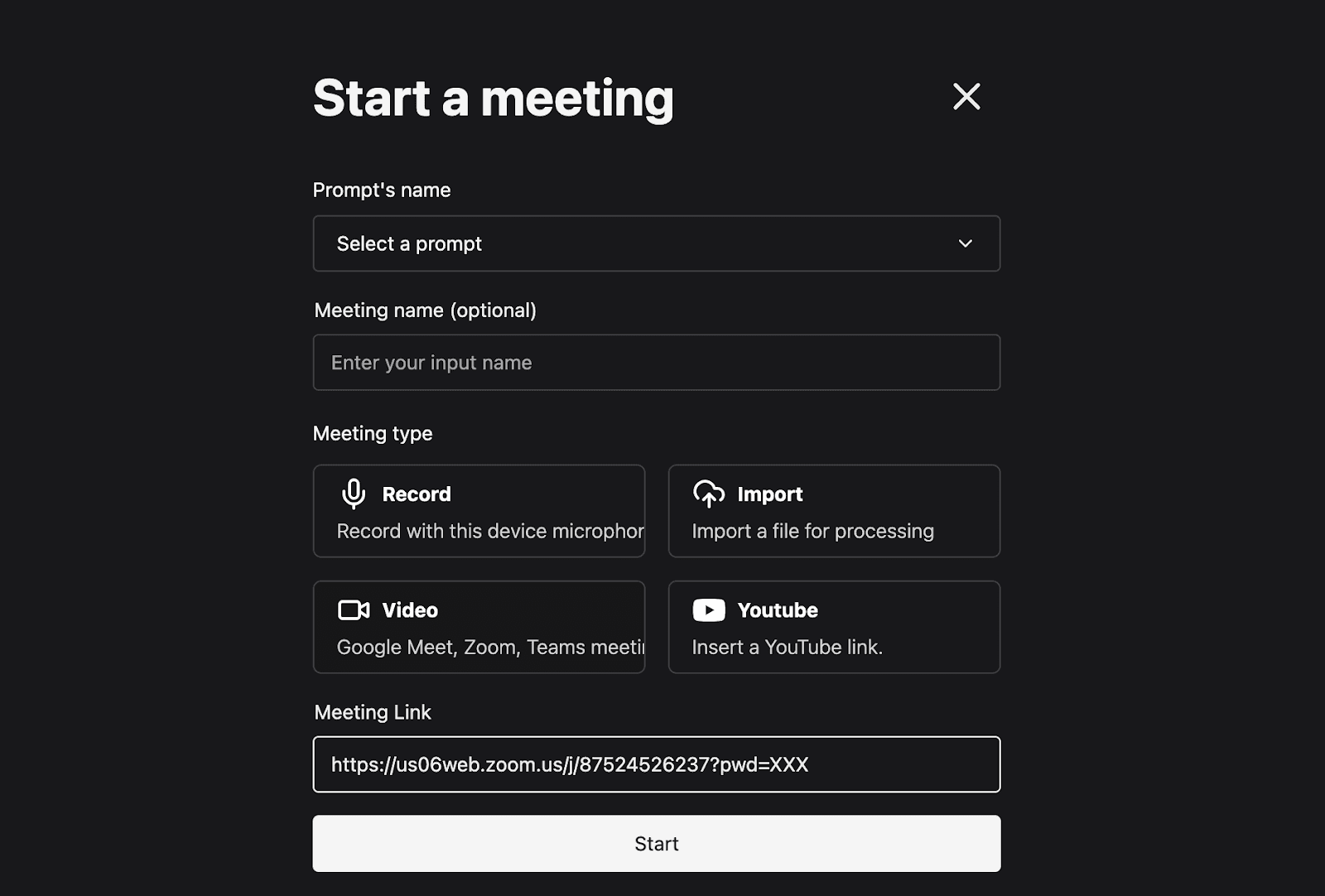
Paste your Google Meet meeting URL
Select the Video option, and copy/paste in the field your Google Meet meeting URL
Ready to transform your meetings?
Join thousands of teams saving time every day: transcription, automatic meeting reports, and instant answers across all your meetings.
No commitment
Human support
Start in 2 minutes